
How to set up e-mail accounts for:
Outlook Express 5/6:
- Open Outlook Express.
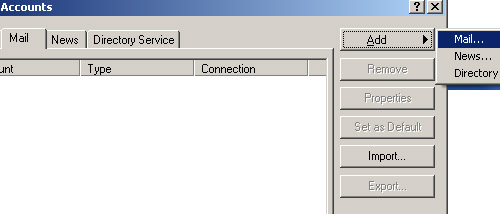
- Click on Tools on the top menu bar.
- Click on Accounts.
- Click the Mail tab.
- Click Add.
- Click Mail.
- Next to Display name type your name.
- Click Next.
- Next to E-mail address type your e-mail address (username@qis.net).
- Click Next.
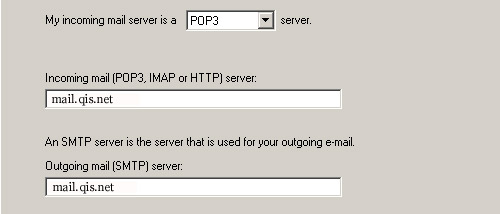
- Next to My incoming mail server is a set that to POP3.
- Under Incoming mail (POP3 or IMAP) server type mail.qis.net
- Under Outgoing mail (SMTP) server type mail.qis.net
- Click Next.
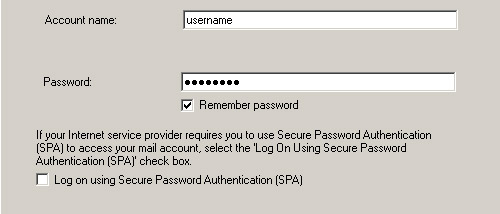
- Select (put the dot next to) Log on using
- Next to POP account name type your user name (username@qis.net). Your user name is just the first part of your e-mail address. Do not type @qis.net
- Next to Password type your password.
- Do not enable Log on using Secure Password Authentication (SPA)
- Click Next.
- Click Finish.
- Close Outlook Express.
